Publishing a Facebook ad involves more than writing a headline, uploading a creative and choosing an audience. Before a campaign can begin delivering, Meta reviews the advertisement to determine whether it follows its advertising requirements.
An issue with the creative, copy, offer, targeting or landing page could cause an ad to be rejected. Even after approval, an advertisement may be reviewed again if it is edited, reported or receives negative feedback.
Whether campaigns are managed in-house or with support from a Facebook Advertising Company, understanding the Facebook Ad Guidelines before publishing can help businesses reduce avoidable revisions, prevent campaign delays and protect the long-term health of their advertising accounts.
This guide explains what Meta may review, how prohibited content differs from restricted content, the common reasons Facebook ads are rejected and what businesses should check before submitting a campaign.
What Are the Facebook Ad Guidelines?
Facebook Ad Guidelines generally refer to the rules Meta applies to paid advertisements appearing across Facebook, Instagram, Messenger and other eligible Meta placements.
These requirements are officially covered under the Meta Advertising Standards. They explain the types of advertising content and practices that Meta allows, restricts or prohibits.
The standards may apply to several parts of a campaign, including:
- The product or service being promoted
- Images, videos and other creative assets
- Primary text, headlines and descriptions
- Claims, promotions and pricing information
- Audience targeting and eligibility
- Landing pages, websites, forms and applications
- The advertiser’s business practices
The term FB Ads Policy is also commonly used by advertisers when referring to these requirements. However, businesses should refer to Meta’s current official standards because advertising rules, restricted categories and enforcement processes may change.
Following these guidelines does not guarantee that every ad will be approved. Each campaign may be assessed based on its complete advertising experience and the specific circumstances surrounding the offer.
Why Should Businesses Check Their Facebook Ads Before Publishing?
Reviewing the Facebook Ad Guidelines before submission can prevent avoidable delays in campaign preparation. A policy issue discovered after submission can interrupt campaign preparation and delay a time-sensitive promotion. It can also require additional work from the marketing, design and web teams.
A structured Facebook ad check can help a business:
- Identify prohibited or restricted products early
- Remove misleading or unsupported claims
- Improve consistency between the advertisement and landing page
- Confirm that the audience is eligible for the offer
- Check whether required disclaimers or permissions are available
- Reduce unnecessary creative revisions
- Prepare the campaign for different Meta placements
- Maintain a clearer internal approval process
Compliance should not be treated only as a final technical step in Meta Ads Manager. It should be considered during campaign planning, copywriting, creative production and landing-page development. For this reason, the Facebook Ad Guidelines should be considered during planning, copywriting, creative production and landing-page development.
What Does Meta Check During the Ad Review?
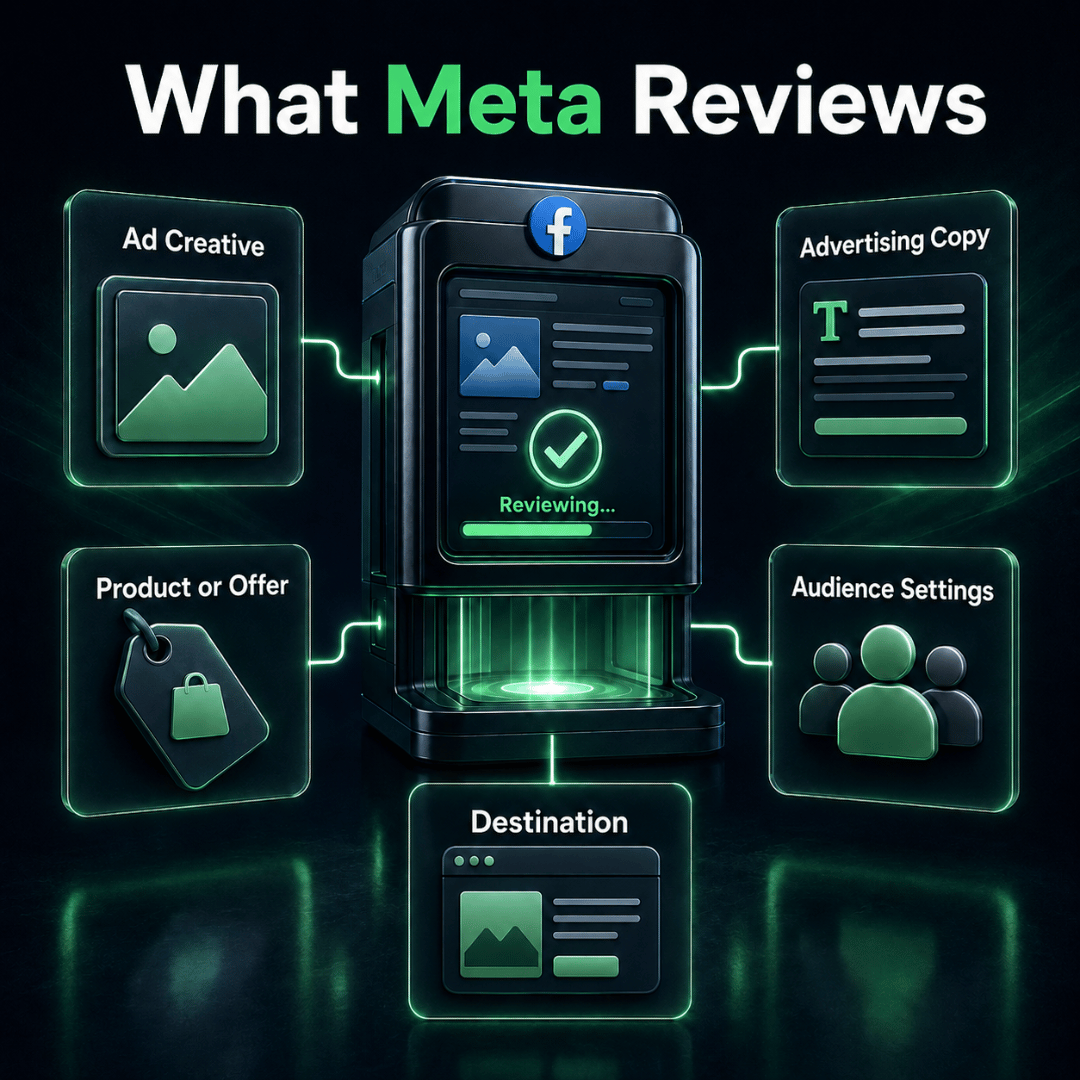
Under the Facebook Ad Guidelines, Meta may examine more than the image or video shown in an advertisement. Its official ad review guidance explains that the process may examine the creative, text, targeting information and destination.
| Review Area | What Meta May Check | What Advertisers Should Confirm |
|---|---|---|
| Ad creative | Images, videos, embedded text, product presentation and potentially harmful or misleading visuals | The creative accurately represents the offer and uses properly licensed assets |
| Advertising copy | Primary text, headline, description, claims and call to action | The wording is truthful, supportable and does not imply sensitive personal attributes |
| Product or service | Whether the promoted offer is permitted, restricted or prohibited | Any category-specific requirements have been identified before publishing |
| Audience settings | Age, location, targeting criteria and restrictions for regulated categories | The selected audience is eligible and appropriate for the offer |
| Destination | Landing page, website, app, form, WhatsApp or another linked destination | The destination works properly and matches the price, promotion and conditions shown in the ad |
The Facebook Ad Guidelines apply to the complete advertising experience, not only the most visible part of the advertisement. The important point is that Meta may assess the complete advertising experience. A suitable creative can still be rejected if the landing page contains misleading information, the audience is ineligible or the underlying product is not permitted.
Complete your Facebook ad check across all campaign components rather than reviewing only the most visible part of the advertisement.
Prohibited Content and Restricted Content Are Not the Same
The Facebook Ad Guidelines distinguish between prohibited content and restricted content. Before creating a campaign, determine whether the advertised product or service falls under prohibited or restricted content. Depending on the category, the Facebook Ad Guidelines may require advertisers to meet additional conditions.
| Area | Prohibited Content | Restricted Content |
|---|---|---|
| General meaning | Content, products or practices that generally cannot be advertised | Content that may be advertised only under specific conditions |
| Common examples | Illegal products, illicit drugs, weapons, fraudulent schemes, discriminatory practices and harmful digital activities | Certain financial services, alcohol, health products, pharmaceuticals, gambling, dating and political or social-issue advertising |
| Possible requirements | The underlying offer normally cannot be made eligible by changing the copy or creative | Age limits, geographic restrictions, licences, disclaimers or prior permission may be required |
| Recommended action | Do not publish the campaign unless the offer itself is permitted | Review the policy for the specific category and target country before preparing the campaign |
Changing the image or headline will not make an inherently prohibited offer eligible. The issue lies with the product, service or business practice itself.
Restricted content requires a different approach. The offer may be allowed, but only when the advertiser follows the applicable conditions. Requirements may vary according to the product, country, audience and campaign context.
For example, certain restricted advertisements may require:
- Minimum age targeting
- Geographic limitations
- Industry licences
- Prior authorisation from Meta
- Specific disclaimers
- Limitations on claims or targeting methods
Malaysian businesses must also ensure their advertisements follow relevant local laws and industry regulations. Previous approval is not proof that a future campaign will be eligible because Meta’s policies and local requirements may change.
Always check the latest policy for the specific product or service before preparing the campaign.
Common Reasons Facebook Ads Get Rejected
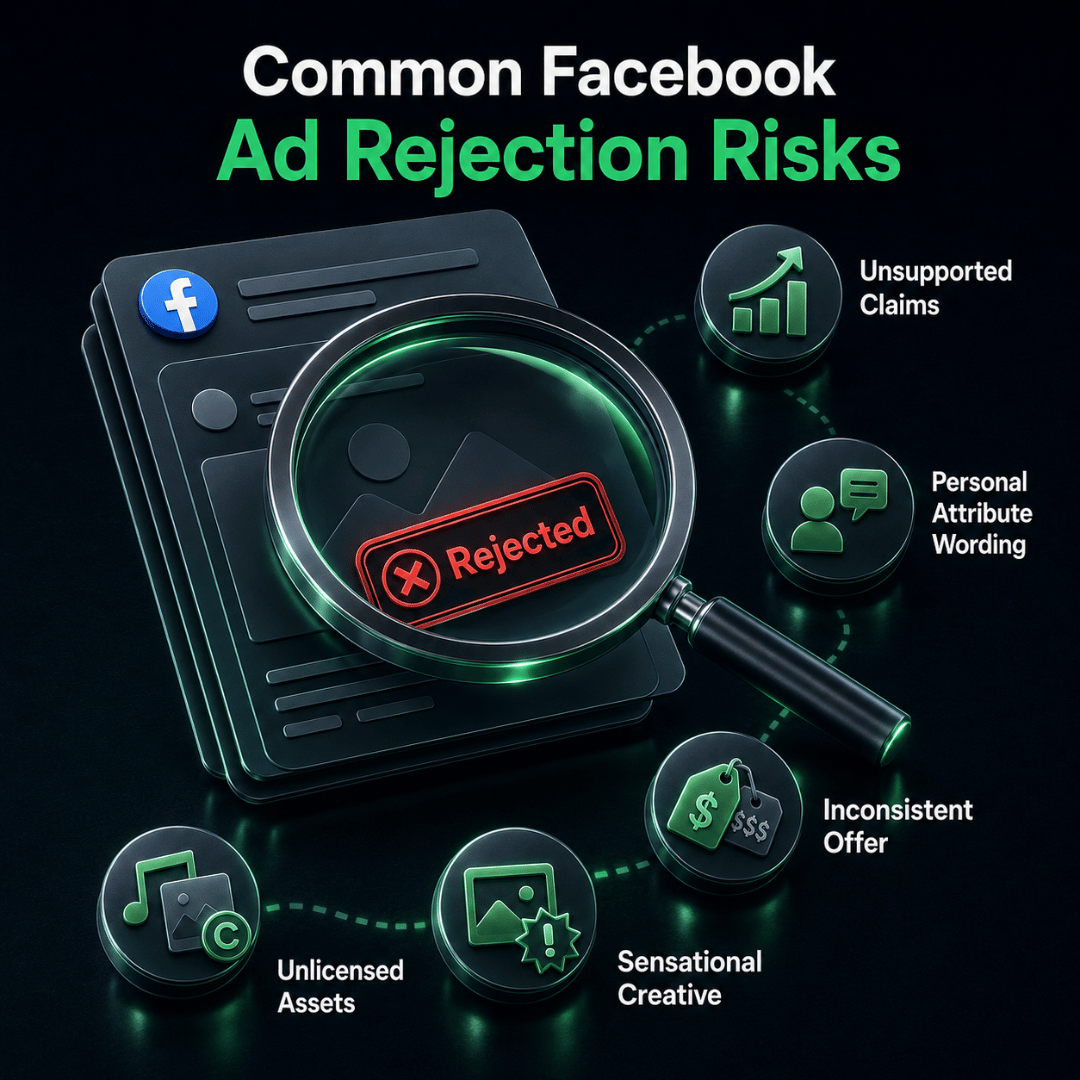
An advertisement can still violate the Facebook Ad Guidelines even when the underlying business and offer are legitimate. A rejected advertisement does not always mean the business is promoting a prohibited product. Many rejections result from how an otherwise legitimate offer is presented.
| Common Issue | Why It Creates Risk | Recommended Action |
|---|---|---|
| Misleading or unrealistic claims | Promises such as guaranteed, instant or 100% results may not be supportable | Use accurate language and retain evidence for important claims |
| Personal-attribute wording | The copy may imply knowledge of the viewer’s health, finances, identity or other sensitive information | Describe the service or situation without assigning an attribute to the viewer |
| Sensational presentation | Shocking images, fear or embarrassment may create a harmful or negative experience | Focus the message on the solution and its practical value |
| Inconsistent information | The advertisement and landing page show different prices, conditions or availability | Match the offer across the creative, copy and destination |
| Intellectual property issues | Music, images, logos or videos may be used without commercial permission | Use original, licensed or properly authorised assets |
| Attempts to bypass review | Disguising content or repeatedly resubmitting non-compliant ads may be treated as evasion | Correct the actual policy issue before requesting another review |
Reviewing the Facebook Ad Guidelines during content development can help identify these risks before submission. Personal-attribute wording deserves particular attention. Meta states that advertisements must not assert or imply certain personal attributes about the viewer.
For example:
“Are you struggling with serious debt?”
This wording suggests that the advertiser knows the viewer’s financial condition.
A more neutral version would be:
“Explore financing options designed to support different financial needs.”
The revised sentence introduces the service without assigning a sensitive condition to the person seeing the ad.
Businesses advertising financial, health, employment or other sensitive services should review Meta’s current personal-attributes policy.
How to Check Your Facebook Ad Creative
Use the Facebook Ad Guidelines as a reference when reviewing every visible and audible part of the creative. Review the creative before uploading it to Meta Ads Manager. Every visible element matters, including text inside the image, product packaging, screenshots, background visuals, music and small disclaimers.
Confirm that:
- The visual represents the real product, service or promotion.
- Embedded text matches the advertising copy.
- Important claims can be supported.
- The image does not imply a sensitive personal attribute.
- The creative avoids unnecessary shock, fear or humiliation.
- Logos, photographs, music and video clips are licensed for commercial use.
- Required disclaimers remain readable.
- Visual elements do not imitate buttons or interfaces deceptively.
- The creative remains clear across the selected placements.
Check the opening seconds of every video as carefully as the full advertisement. Viewers and reviewers may form an impression before reaching the later explanation.
Technical suitability also matters. A creative produced only for the Facebook Feed may be cropped or difficult to understand when displayed in Stories, Reels or another vertical placement.
Requirements differ according to the Facebook ad format, objective and placement. Use Meta’s current Ads Guide to confirm the appropriate ratio, resolution, file type and duration before exporting the final assets.
How to Check Your Facebook Advertising Copy
The Facebook Ad Guidelines apply to the primary text, headline, description, creative text and call to action. Review the primary text, headline, description, creative text and call to action together. These elements should communicate one consistent offer.
Ask the following questions:
- Is the offer immediately understandable?
- Does any sentence promise an outcome the business cannot guarantee?
- Does the wording imply knowledge of a sensitive personal attribute?
- Are the prices, dates, locations and eligibility conditions accurate?
- Can statistics and comparisons be supported?
- Does the call to action explain what happens next?
- Would the advertisement remain truthful without additional clarification?
Pay attention to words such as “guaranteed,” “instant,” “risk-free,” “best,” “number one,” “everyone” and “100%.” These terms are not necessarily prohibited in every situation, but they can create an unsupported or misleading impression.
For example, instead of saying:
“Guaranteed business growth from Facebook Ads.”
A more responsible version would be:
“A structured Facebook advertising approach designed to support measurable business growth.”
The second version remains positive without promising a result that cannot be guaranteed.
Important conditions should also be visible. Do not hide information that materially changes the offer in extremely small text or reveal it only after the user has submitted a form.
How to Check the Landing Page or Destination
Under the Facebook Ad Guidelines, the destination forms part of the complete advertising experience. The destination is part of the advertising experience and may be assessed during Meta’s review.
Before publishing, open the destination on both desktop and mobile. Confirm that it:
- Loads correctly without errors
- Uses a secure and valid connection
- Matches the product or service shown in the advertisement
- Displays the same price, promotion and eligibility conditions
- Identifies the business clearly
- Provides accurate contact information
- Explains what happens after a form is submitted
- Avoids misleading pop-ups and forced redirects
- Includes relevant privacy information
- Does not contain prohibited content
- Works on common mobile screen sizes
Test every important action. Submit the form, click the telephone and WhatsApp buttons, check the enquiry process and confirm that any checkout or registration function works correctly.
A landing-page problem can waste advertising spend even if the ad is approved. A complete destination check therefore supports both compliance and campaign readiness.
Final Facebook Ad Check Before Publishing
Use this Facebook Ad Guidelines checklist before submitting the campaign for review.
Policy and Offer
- The advertised product or service is permitted.
- Requirements for restricted categories have been checked.
- The campaign follows relevant Malaysian laws and industry rules.
- Required licences, permissions and disclaimers are available.
- The offer is accurate and currently available.
Advertising Copy
- The headline, primary text and creative communicate the same offer.
- Claims are truthful and supportable.
- The wording does not imply a sensitive personal attribute.
- Prices, dates, locations and conditions are accurate.
- The call to action matches the next step.
Creative
- Images and videos accurately represent the promotion.
- The creative avoids unnecessary shocking or sensational content.
- All assets are original, licensed or authorised for commercial use.
- Important text and disclaimers remain readable.
- The dimensions suit the selected placements.
- Video captions, audio and on-screen text have been reviewed.
Landing Page or Destination
- The destination loads on desktop and mobile.
- The page continues the same offer shown in the advertisement.
- Forms, buttons and links work correctly.
- Business and contact information are clear.
- Relevant privacy information is available.
- The page does not contain misleading or prohibited material.
Campaign Settings
- The selected audience is suitable for the product or service.
- Required age and location restrictions have been applied.
- The placements are compatible with the creative.
- The correct Facebook Page and Instagram account are connected.
- The intended landing page, form or messaging destination is selected.
- The final advertisement preview has been checked.
Review every relevant placement preview before confirming publication. Text, images and buttons may appear differently across Facebook Feed, Instagram Feed, Stories, Reels and other placements.
This final review should include both the current Facebook Ad Guidelines and any category-specific FB Ads Policy requirements that apply to the campaign.
What Should You Do If Your Facebook Ad Is Rejected?
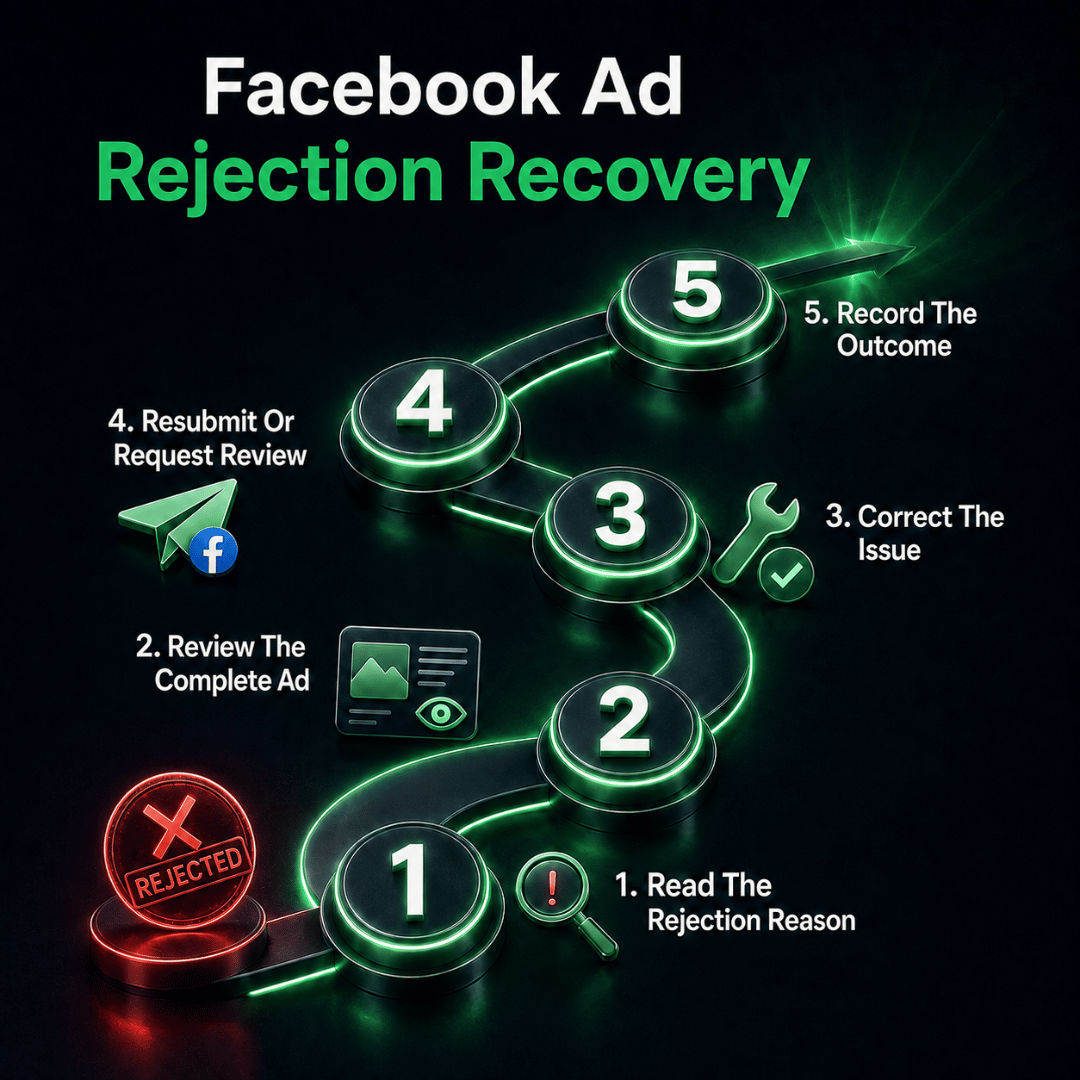
When an advertisement is rejected under the Facebook Ad Guidelines, begin by reviewing the reason provided by Meta. Start by reading the rejection notice and identifying the policy Meta says the advertisement may have violated. Avoid making random changes before understanding the likely issue.
Review the complete advertising experience:
- Creative
- Primary text
- Headline and description
- Offer and claims
- Audience settings
- Landing page
- Form, app or messaging destination
If there is a genuine issue, edit the advertisement so that the change resolves the underlying problem. Replacing one risky word will not help if the same misleading claim still appears in the image or landing page.
If you believe the advertisement was rejected incorrectly, eligible advertisers may be able to request another review through Business Support Home. Follow Meta’s current rejected-ad troubleshooting process instead of repeatedly duplicating and resubmitting the same advertisement.
Keep an internal record of:
- The advertisement that was rejected
- The stated policy reason
- The components that were changed
- The review outcome
- Any recurring issue across campaigns
Repeated rejections may indicate a wider problem with the offer, website or approval process rather than an isolated copywriting mistake.
Approval should not be treated as permanent. Previously approved advertisements may be assessed again after changes or in response to signals such as user reports or negative feedback.
Build Policy Checks Into Your Campaign Process
Building the Facebook Ad Guidelines into the campaign workflow can reduce last-minute corrections and repeated rejection risks. Facebook ad compliance should begin during planning rather than moments before publication.
A practical process is to:
- Confirm that the product or service can be advertised.
- Identify category restrictions before choosing the audience.
- Write accurate and supportable claims.
- Produce suitable creative for the intended placements.
- Prepare a landing page that continues the same offer.
- Complete the final Facebook ad check.
- Monitor the campaign after approval.
This approach gives marketing, design, web and compliance teams a shared standard. It also reduces the chance of discovering a major policy issue immediately before a time-sensitive campaign is due to launch.
Once the campaign has passed these checks, the next step is to build and publish it correctly. Our upcoming Facebook Ads Manager Tutorial: How to Set Up and Create a Campaign will explain that process separately.
Prepare Your Facebook Campaign With Greater Confidence
Following the Facebook Ad Guidelines cannot guarantee that every advertisement will be approved. The outcome may depend on the specific offer, wording, creative, destination, audience and policy requirements involved.
However, a structured pre-publication review can reduce preventable mistakes. It helps businesses identify unsuitable claims, restricted products, creative risks and destination problems before they delay the campaign.
If your team needs support planning, creating and managing policy-conscious Facebook campaigns, explore Kawan Elite’s Facebook Advertising Services.
Kawan Elite can help connect your campaign strategy, creative execution, audience planning, landing-page readiness, tracking and ongoing management around measurable business objectives.
To discuss your next Facebook campaign, contact the Kawan Elite team.