Learning how to link Google Ads to Google Analytics is important for businesses that want clearer visibility before increasing their advertising budget. Google Ads can show campaign delivery, clicks, cost, and ad-level performance. Google Analytics, especially GA4, helps businesses understand what users do after they land on the website. Understanding how to link Google Ads to Google Analytics helps businesses connect ad clicks with website actions, conversions, and campaign reporting.
When both platforms are connected properly, businesses can review campaign traffic, website actions, conversion behaviour, and lead quality with better context. This helps teams make stronger decisions before scaling Google Ads spend.
Why Businesses Should Link Google Ads to Google Analytics
Google Ads can tell you how your campaign performs from an advertising perspective. It can show impressions, clicks, cost, CTR, conversions, and campaign performance based on the data available inside the ad account. For growing businesses, knowing how to link Google Ads to Google Analytics helps connect ad performance with actual website behaviour.
However, Google Ads alone may not always give the full picture of what happens after someone clicks the ad and lands on your website. This is where Google Analytics becomes useful. Google Analytics helps businesses review user behaviour after the click, such as which landing pages users visit, how they interact with the site, which actions they complete, and whether they continue engaging with the website.
For businesses planning to scale Google Ads, this connection matters because more budget should usually come with better measurement. If tracking is weak, the business may increase spend without knowing which campaigns, keywords, ads, or landing pages are producing real enquiries or valuable actions.
A simple example:
A campaign may generate many clicks, but if users leave the landing page without submitting a form, clicking WhatsApp, making a call, or completing another important action, the campaign may not be ready to scale yet.
That is why linking Google Ads with Google Analytics should be seen as part of campaign readiness, not just a technical setup.
What Is the Difference Between Google Ads and Google Analytics?
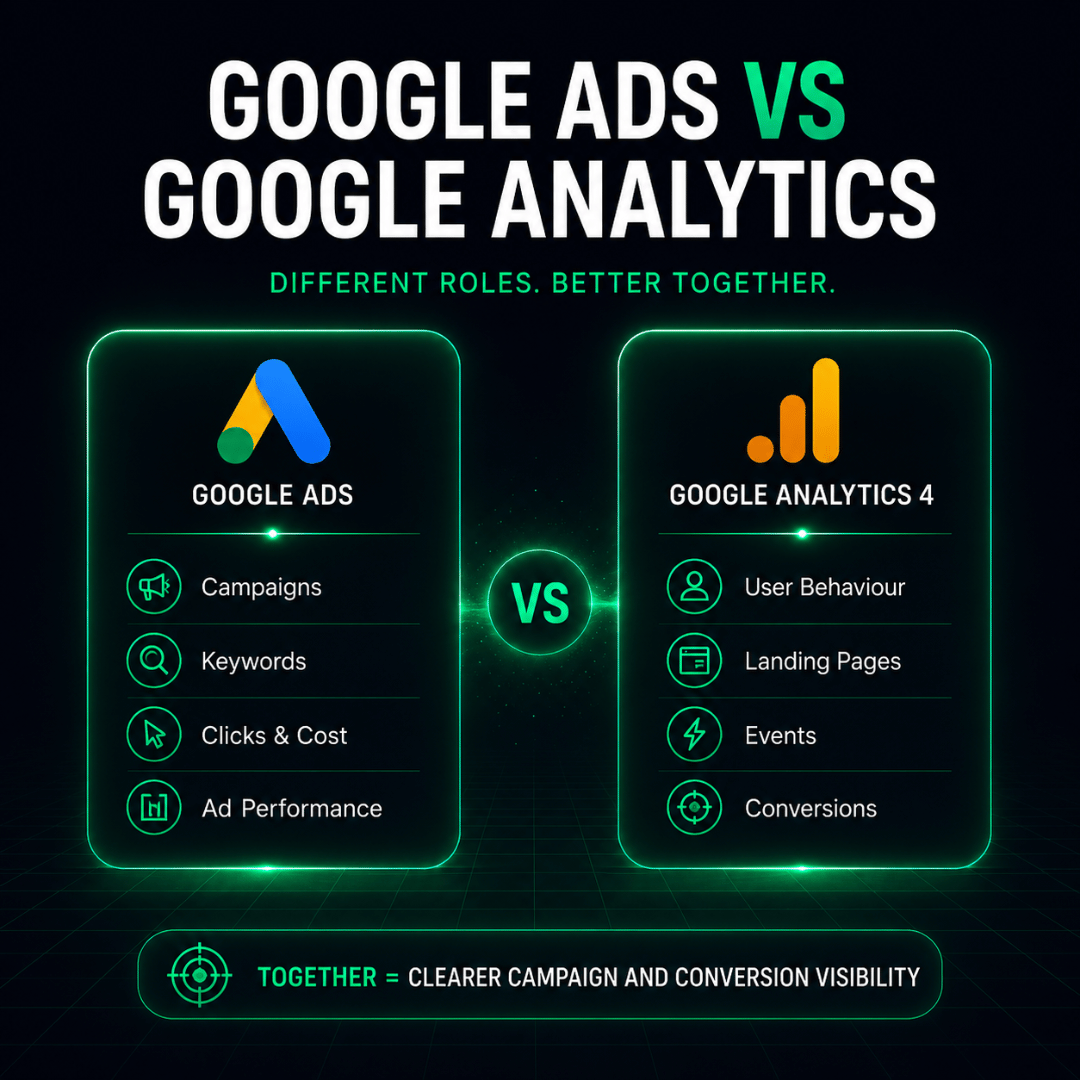
Before learning how to link Google Ads to Google Analytics, it is useful to understand what each platform measures.
| Platform | What It Shows | Why It Matters |
| Google Ads | Ad impressions, clicks, cost, keywords, ad groups, campaigns, and conversion data inside the ad account | Helps businesses understand campaign delivery and advertising performance |
| Google Analytics / GA4 | Website traffic, user behaviour, landing page engagement, events, conversions, and audience activity | Helps businesses understand what users do after clicking an ad |
| Google Ads + GA4 together | Campaign data connected with website behaviour and conversion actions | Helps businesses make better optimisation and budget decisions |
Google Ads focuses on campaign activity. Google Analytics focuses more on user behaviour and website actions. When both are connected, businesses can review the campaign journey more clearly, from ad click to landing page action.
This is especially important for businesses that depend on leads, enquiries, booking forms, WhatsApp clicks, phone calls, purchases, or other conversion actions.
How Linking Google Ads and GA4 Supports Better Campaign Decisions
Linking Google Ads and GA4 can help businesses make more informed decisions because campaign data and website behaviour become easier to review together. Once businesses understand how to link Google Ads with Google Analytics, they can review campaign traffic and website actions with better context.
For example, a business may discover that one campaign has a higher click volume, but another campaign produces stronger form submissions or more engaged users. Without GA4 visibility, the business may overvalue clicks and undervalue actual conversion quality.
A proper Google Ads and GA4 connection can support:
- Better campaign reporting
- Clearer conversion measurement
- Stronger landing page analysis
- Better audience insights
- Improved budget allocation
- More informed campaign optimisation
- Stronger scaling decisions
This is also useful when reviewing Google Ads pricing in Malaysia, because businesses should understand whether their campaign package includes proper tracking and reporting support before increasing budget.
If the tracking setup is incomplete, the campaign may still run, but the business may not have enough visibility to know what is working.
What Businesses Should Track Before Scaling Google Ads
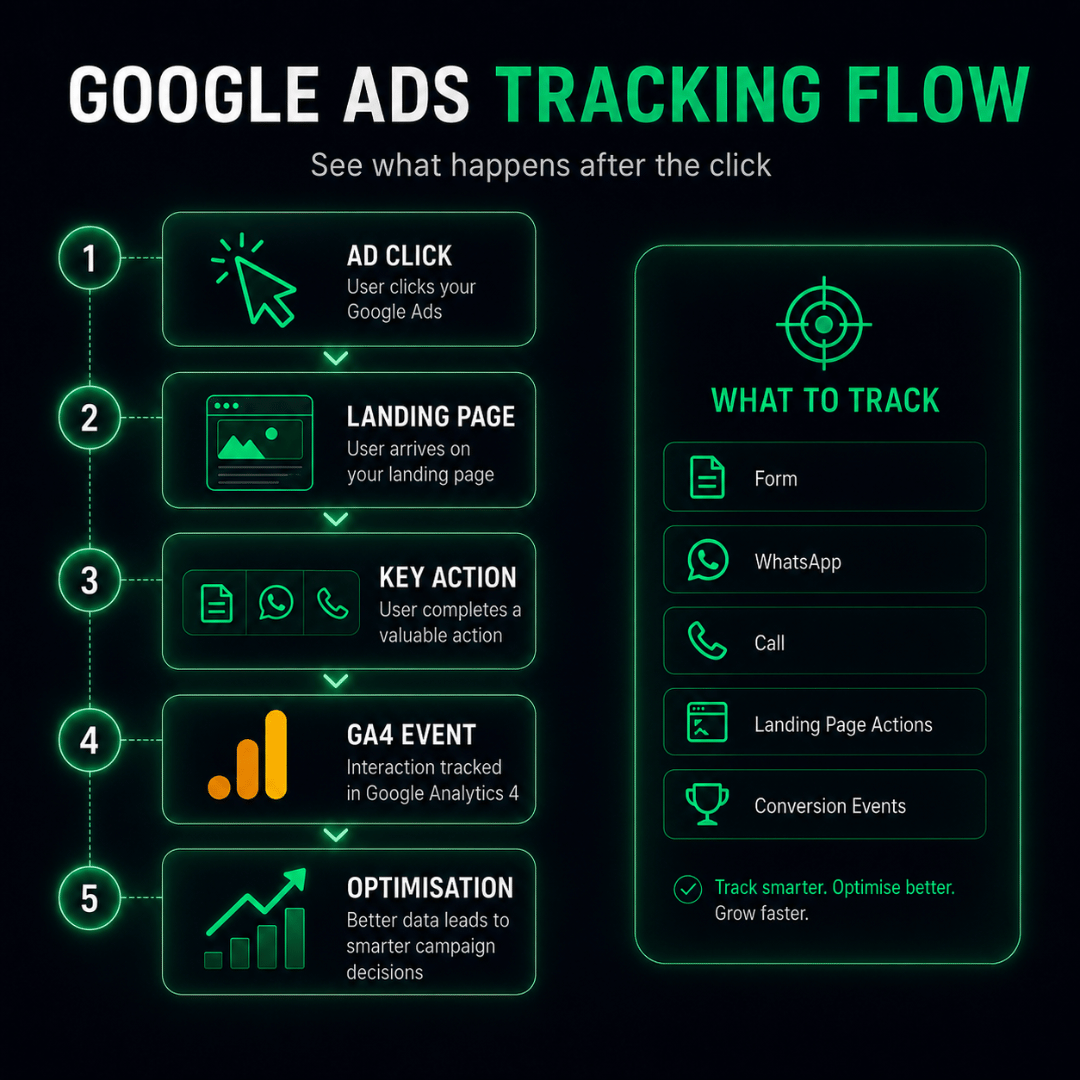
Before increasing Google Ads budget, businesses should check whether important conversion actions are being tracked properly. The right tracking setup depends on the business model, campaign objective, and sales process.
| Tracking Item | What It Measures | Why It Matters |
| Form submissions | Users who submit enquiry, quote, booking, or contact forms | Helps measure lead generation performance |
| Phone clicks | Users who click to call from the website | Useful for local businesses and service enquiries |
| WhatsApp clicks | Users who click WhatsApp buttons or links | Important for Malaysian businesses that receive enquiries through WhatsApp |
| Purchase actions | Completed online transactions | Important for eCommerce campaigns |
| Lead form steps | Users who start or complete important form actions | Helps identify drop-off points |
| Landing page engagement | Scroll, page views, button clicks, or key page actions | Helps review landing page quality |
| Thank-you page visits | Users who reach confirmation pages after submitting forms | Helps validate lead completion |
| Qualified lead review | Whether leads are useful after sales follow-up | Helps connect campaign performance with business quality |
The goal is not to track everything randomly. The goal is to track actions that matter to the business.
For example, a service-based business may prioritise form submissions, phone clicks, and WhatsApp enquiries. An eCommerce business may prioritise purchases, add-to-cart actions, checkout steps, and revenue tracking.
Before scaling spend, businesses should know which actions are important and whether those actions are being measured correctly.
How to Link Google Ads to Google Analytics: Basic Setup Steps
The exact interface may change over time, but the core process usually involves connecting your GA4 property with your Google Ads account and making sure the right conversion data is available for campaign reporting.
At a basic level, businesses usually need to:
- Make sure GA4 is installed properly on the website.
- Confirm that important events or key actions are being tracked.
- Connect the GA4 property with the Google Ads account.
- Check whether auto-tagging is enabled in Google Ads.
- Review which GA4 events or conversions should be used for Google Ads measurement.
- Test whether conversions are being recorded correctly.
- Review reports before making major budget decisions.
Google’s current Analytics Help documentation explains that GA4 properties can be linked to Google Ads through Admin > Product links > Google Ads links, while Google Ads Help also explains linking through Data manager in Google Ads. (Google Help)
Businesses should also check auto-tagging because it helps Google Analytics identify traffic that comes from Google Ads clicks. Google’s Analytics Help documentation explains that auto-tagging can be enabled in Google Ads account settings by checking the option to tag the URL that people click through from the ad. (Google Help)
This section should not replace a proper technical setup review. For business owners and marketing managers, the main point is to understand that linking is only one part of the process. The campaign also needs clean event tracking, conversion configuration, testing, and reporting review.
Common Tracking Mistakes That Can Affect Google Ads Performance
Even after learning how to link Google Ads to Google Analytics, tracking issues can still happen if events, conversions, and reports are not reviewed properly. These mistakes can affect reporting accuracy and make campaign decisions less reliable.
1. Tracking only clicks but not real conversion actions
Clicks show interest, but they do not always show business value. A campaign should also track actions such as form submissions, WhatsApp clicks, phone clicks, purchases, or bookings.
2. Treating every event as equally important
Not every website action should be treated as a key conversion. For example, a page view and a completed enquiry form do not have the same value. Businesses should separate supporting actions from primary business outcomes.
3. Not testing the tracking setup
Tracking should be tested before important campaign decisions are made. A form submission, call button, WhatsApp click, or purchase event should be checked to confirm whether it is recorded properly.
4. Ignoring landing page behaviour
If a campaign gets clicks but users leave the landing page quickly, the issue may not be the ad alone. It may be the landing page message, speed, layout, offer, form, or call-to-action.
5. Scaling budget before reviewing conversion quality
A campaign may generate leads, but not all leads are equally useful. Before scaling, businesses should review whether the enquiries are relevant, qualified, and connected to real sales opportunities.
6. Not aligning campaign reports with business feedback
Google Ads and GA4 data should be compared with sales team feedback where possible. If a campaign shows many conversions but the leads are poor quality, the campaign may still need targeting, keyword, landing page, or offer improvements.
Tracking is not only about collecting data. It is about making sure the data helps the business make better decisions.
How to Know Whether Your Google Ads Tracking Is Ready to Scale
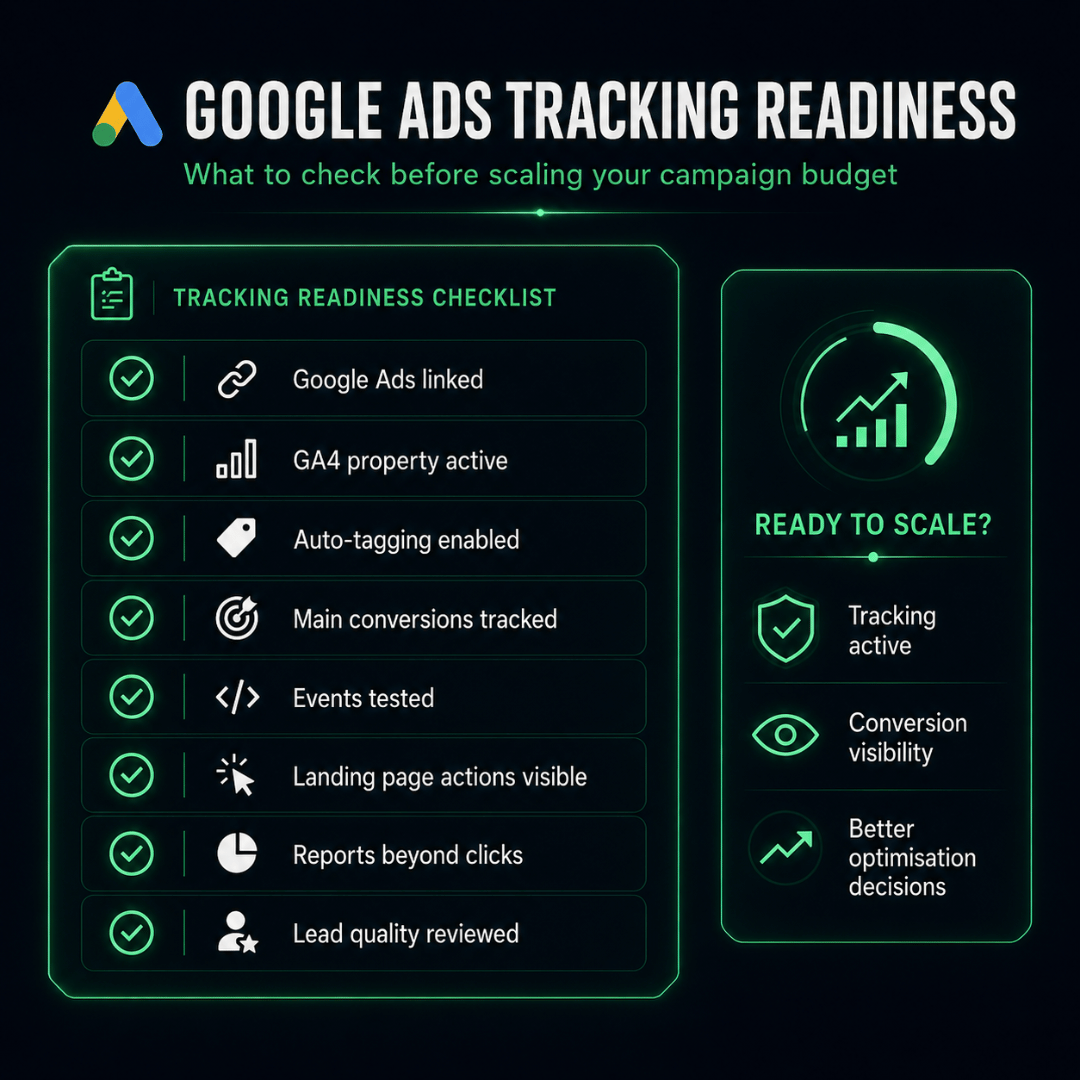
Before increasing Google Ads budget, businesses should review whether their tracking setup is strong enough to support scaling.
| Checklist Item | Why It Matters | Status to Confirm |
| GA4 is installed properly | Ensures website activity can be measured | GA4 data is receiving traffic |
| Google Ads and GA4 are linked | Helps connect campaign data with website behaviour | Linked account is active |
| Auto-tagging is enabled | Helps campaign traffic appear correctly in GA4 | Google Ads auto-tagging is on |
| Main conversion actions are tracked | Measures meaningful actions, not only clicks | Forms, calls, WhatsApp, purchases, or bookings are tracked |
| Conversion events are tested | Reduces reporting errors | Test conversions appear correctly |
| Landing page actions are visible | Helps review user behaviour after the click | Important page and button actions are recorded |
| Reports show more than clicks | Supports better decision-making | Leads, conversions, cost per lead, and quality indicators are reviewed |
| Sales feedback is checked | Helps confirm whether conversions are valuable | Lead quality is reviewed with internal teams |
If several items are missing, the campaign may not be ready for aggressive scaling yet. The business can still run Google Ads, but it should fix tracking gaps before increasing spend too heavily.
A stronger tracking setup helps answer important questions:
- Which campaign produces the most valuable enquiries?
- Which keywords drive better conversion actions?
- Which landing pages need improvement?
- Which audiences are worth investing more budget into?
- Which campaigns should be paused, improved, or scaled?
Without this visibility, scaling becomes risky because the business may spend more without knowing what is truly working.
Ready to Improve Your Google Ads Tracking and Reporting?
Knowing how to link Google Ads to Google Analytics is only valuable when the tracking setup is tested, reviewed, and connected to real business goals.
For businesses planning to scale Google Ads, tracking should be reviewed before increasing the budget. A campaign should be able to show not only clicks and cost, but also meaningful actions such as leads, enquiries, calls, WhatsApp clicks, purchases, bookings, and conversion quality.
At Kawan Elite, we approach Google Ads as part of a measurable growth system. That means campaign planning, tracking, reporting, optimisation, and budget decisions should work together instead of being treated separately. For businesses preparing to increase ad spend, understanding how to link Google Ads to Google Analytics helps ensure campaign decisions are based on clearer conversion and website behaviour data.
Explore our Google Advertising Service in Malaysia to understand how structured campaign management and measurable reporting can support better Google Ads decisions.
Or, if your campaign is already running, speak to our team about reviewing your Google Ads and GA4 tracking setup before scaling your budget further.