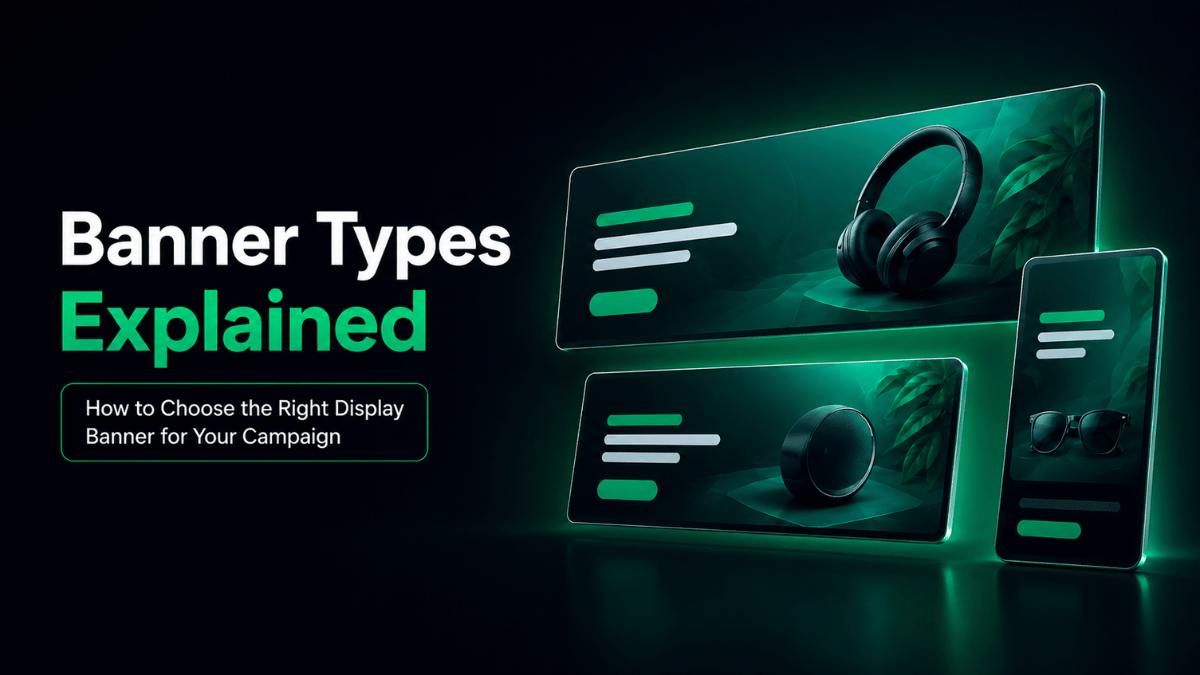
Not every banner format suits every campaign. A simple promotion may need one static visual, while another campaign may benefit from animation, responsive creative, video or dynamic content. The right choice depends on the objective, placement, message, available assets and production requirements.
Understanding the main banner types helps businesses prepare suitable creative from the beginning instead of forcing one design into every placement. When several formats or placements are required, a banner design company can help turn the campaign direction into consistent, platform-ready creative.
What Are the Main Types of Banner Ads?
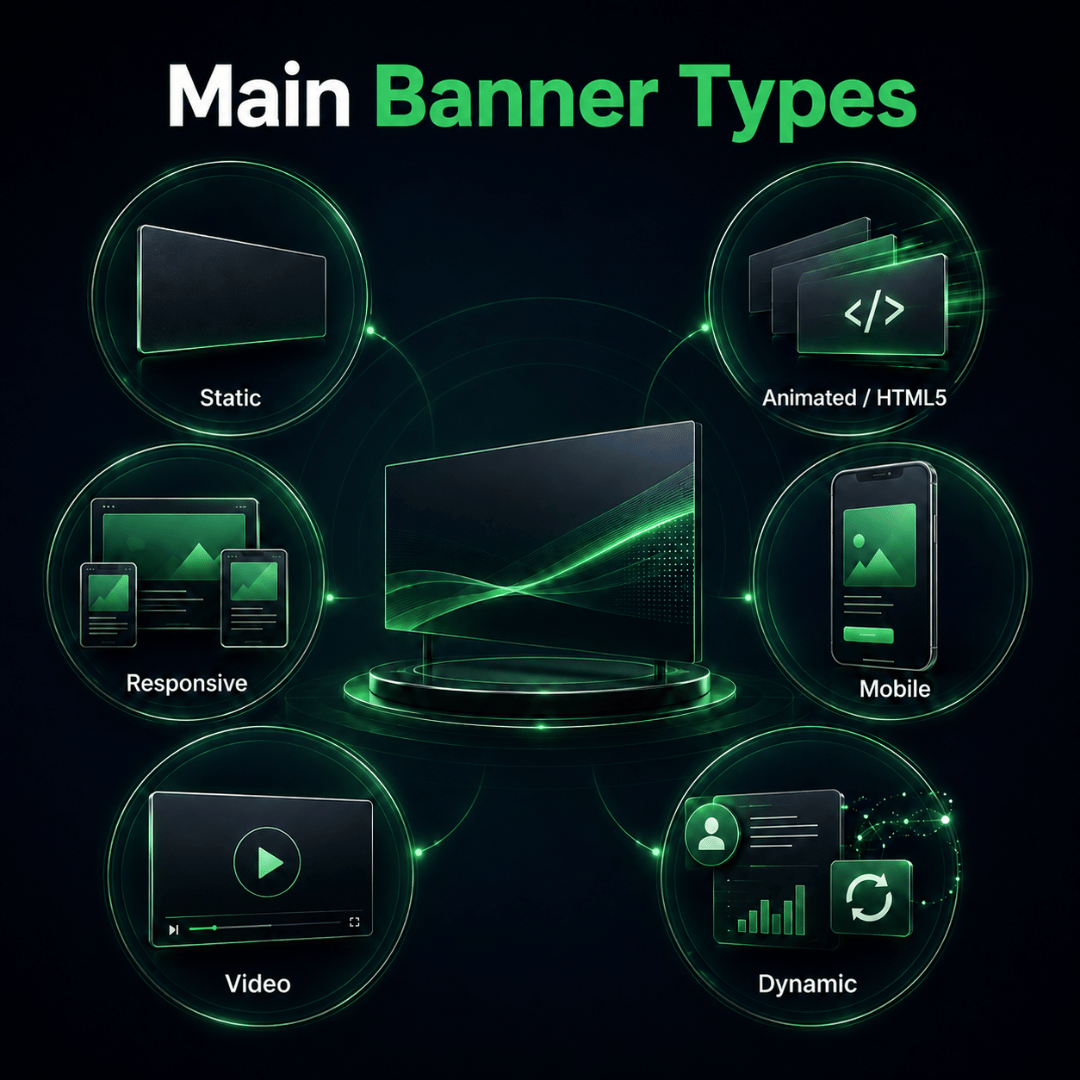
The main banner types include static image banners, animated or HTML5 banners, responsive display banners, mobile banners, video banners and dynamic banners.
These categories can overlap. A dynamic banner may also be animated or responsive, while a mobile banner may use static or responsive creative.
The better way to compare them is by how they behave, how much layout control they provide and where they are most useful.
Static Banner Ads
A static banner uses one fixed visual layout without animation or changing content.
It usually contains a headline, supporting message, visual, brand elements and call to action.
Static banners work well for:
- Seasonal promotions
- Outlet openings
- Event registrations
- Product launches
- Service awareness
- Limited-time offers
Static banners provide strong message control and are relatively straightforward to produce. However, different placements may still require the headline, visual and CTA to be rearranged rather than simply resized.
For campaigns with one focused message, static creative can often communicate the offer clearly without unnecessary complexity.
Animated and HTML5 Banner Ads
Animated banners introduce information in sequence instead of presenting everything in a single frame.
For example, the creative may show:
- The campaign message
- The main benefit
- The offer
- The CTA
This can be useful when sequencing helps the audience understand the message more clearly.
For campaigns that require greater control over the completed creative, Google Ads also supports uploaded display ads, including image and HTML5 formats subject to its current specifications.
HTML5 is commonly used to build digital banners containing animation or interactive elements. It is a production technology rather than a visual style by itself.
Animated or HTML5 banners may suit campaigns that need to:
- Reveal information gradually
- Highlight multiple benefits
- Demonstrate a simple process
- Introduce several products
- Add controlled movement
Animation should still have a clear purpose. If one strong message can be understood immediately, a static banner may be more practical.
Responsive Display Banners
Responsive display banners are designed to adapt to different available advertising spaces.
Instead of relying only on one completed layout, responsive advertising can use assets such as:
- Headlines
- Descriptions
- Images
- Logos
- Other campaign visuals
The advertising platform may then combine or rearrange these assets according to the placement. Google Ads uses responsive display ads that can combine assets such as images, headlines, logos, videos and descriptions to create ads for different available placements.
Responsive creative provides greater placement flexibility, but the platform has more control over how assets are arranged. Fixed-size banners provide stronger control over the completed layout.
The better option depends on whether the campaign prioritises precise presentation or wider placement coverage.
Mobile Banner Advertising
Mobile banners are advertising creatives prepared for smaller screens and mobile browsing behaviour.
Mobile is better treated as a placement requirement rather than one completely separate technical format. A mobile banner may still be static, responsive, animated or dynamic.
On mobile, smaller screens and faster scrolling make clarity especially important. Copy, visuals and CTAs must remain readable without overcrowding the available space.
Mobile placements usually require attention to:
- Shorter copy
- Readable headlines
- Clear CTA
- Recognisable visuals
- Cropping
- Vertical or narrow spaces
The campaign message can remain consistent, but the layout may need to change.
Video Banner Advertising
Video banners use motion when demonstration, sequencing or storytelling communicates the message more clearly than a still image.
They may suit:
- Product demonstrations
- Before-and-after sequences
- Short storytelling
- Processes
- Moving product features
- Multiple visual benefits
Because video requires additional assets and production effort, motion should be used only when it genuinely improves understanding.
Using video simply because it appears more advanced can add complexity without improving the campaign message.
Dynamic Banner Advertising
Dynamic banners can change their content according to campaign data, products or audience context.
Changes may involve:
- Product shown
- Price
- Offer
- Audience segment
- Location
- Remarketing behaviour
For example, an ecommerce campaign may show different products depending on what a visitor previously viewed.
Dynamic refers to how the content changes; the banner itself may still be static, animated or responsive. This approach is useful for personalisation but requires suitable campaign data and platform capabilities.
Other Campaign-Specific Banner Variations
Businesses may also prepare banners for social media, website promotions, remarketing, marketplaces and owned digital channels.
These are often adaptations of static, responsive, animated or dynamic creative rather than completely separate banner types.
The important question is whether the format suits the campaign and placement.
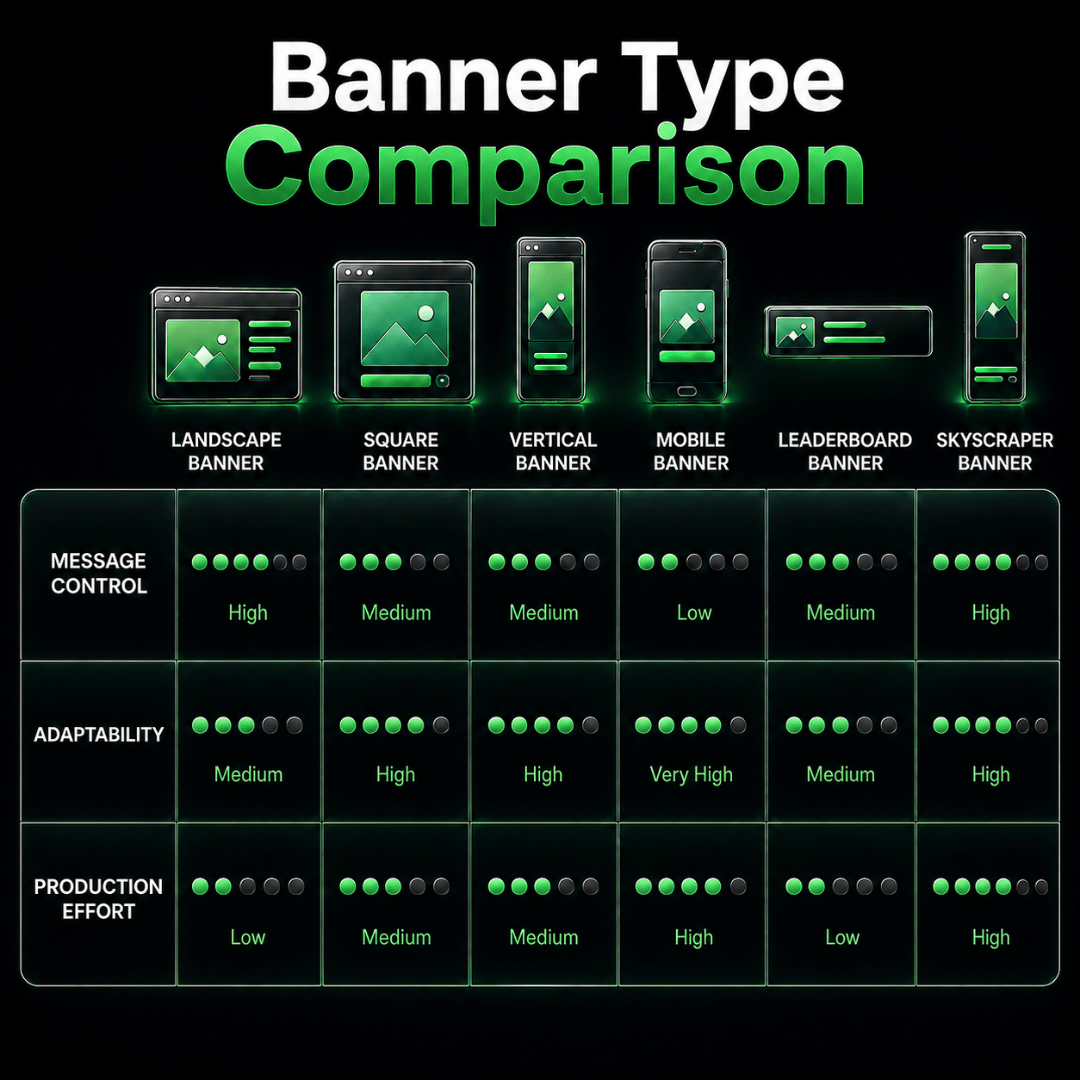
Banner Type Comparison: Which Format Fits Which Need?
| Banner Type | Message Control | Adaptability | Production Effort | Suitable When |
| Static | High | Lower | Lower | One clear message or offer |
| Animated / HTML5 | Medium to high | Varies | Higher | Information benefits from sequencing |
| Responsive | Medium | High | Medium | Broad placement coverage is needed |
| Mobile-focused | High | Screen-specific | Medium | Small-screen readability is critical |
| Video | Medium | Varies | Higher | Demonstration or motion improves understanding |
| Dynamic | Varies | High | Higher | Content changes by product, audience or context |
The most advanced banner format is not automatically the most suitable.
A simple static banner may be more effective when the message is straightforward, while responsive creative may be more practical when wider placement coverage is required.
Choose based on campaign requirements, not visual novelty.
How to Choose the Right Display Banner for Your Campaign
The right display banner becomes easier to choose when businesses compare several practical factors before production begins.
| Selection Factor | What to Consider |
| Campaign objective | Awareness, promotion, traffic, remarketing, enquiries or sales |
| Placement | Website, app, mobile, display network or another environment |
| Audience | Where and how the target audience is likely to see the ad |
| Message complexity | Whether the message fits in one frame or benefits from sequencing |
| Available assets | Images, video, copy, product information and brand materials |
| Production capacity | Time, design resources, development needs and campaign deadline |
| Testing needs | Number of variations required for audiences, offers or placements |
For example, a simple awareness campaign may only need static creative. A product remarketing campaign may benefit from dynamic content, while a campaign requiring broad placement coverage may use responsive assets.
A useful principle is:
Choose the format that supports the campaign objective, placement and message with the least unnecessary complexity.
Why One Banner Should Not Simply Be Resized for Every Placement
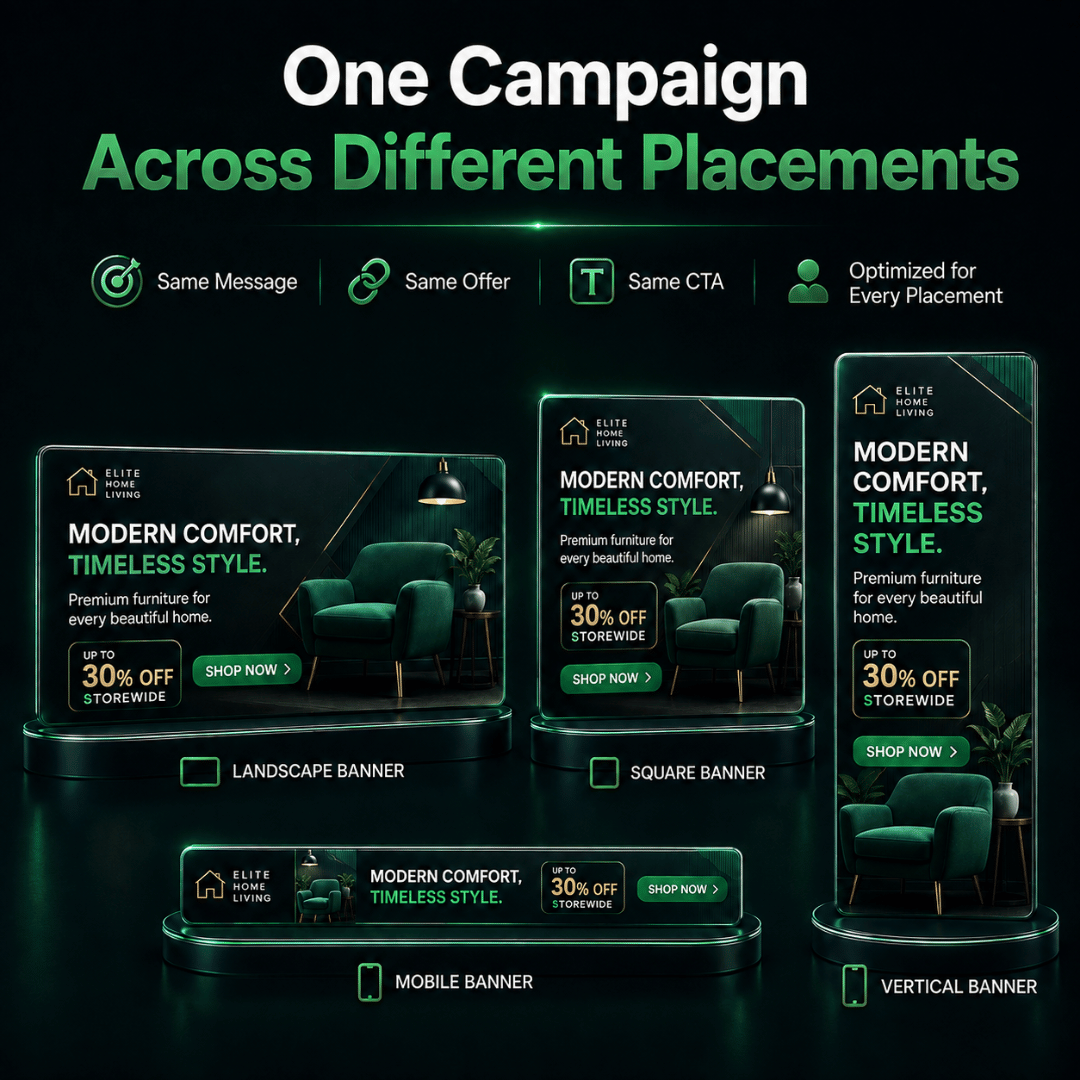
One of the most common production mistakes is creating one banner and shrinking or stretching it into every required size.
This may save time initially, but it can weaken the creative.
Careless resizing can cause:
- Headlines to become too small
- Product images to be cropped
- CTA buttons to lose emphasis
- Important information to disappear
- Layouts to feel crowded
- Mobile versions to become difficult to read
For example, a wide desktop banner may place the headline on the left and product image on the right. A vertical mobile placement may need the image above the headline instead.
The campaign message remains the same, but the arrangement changes.
Resizing changes the available space, while adaptation protects the message hierarchy.
A campaign-ready banner set should therefore feel consistent without forcing every placement to use an identical layout.
Businesses that require multiple formats can explore Kawan Elite’s Banner Ads Design Services for support with coordinated creative preparation.
Banner Format Selection Checklist
Before choosing a banner format, confirm:
- Campaign objective – What should the campaign achieve?
- Target audience – Who should see the advertisement?
- Advertising platform – Where will the campaign run?
- Placements – Which sizes or environments are required?
- Message – Can it be understood in one frame?
- Assets – Are suitable images, video or product information available?
- CTA – What should viewers do next?
- Production capacity – How much design or development is practical?
- Deadline – When must the creative be ready?
- Testing plan – Are multiple versions required?
Completing these decisions before production helps define the right creative scope and reduces unnecessary revisions.
Choose the Banner Type Around the Campaign Requirement
The right banner type depends on the campaign objective, placement, audience and message.
Static creative offers strong layout control, motion can support sequencing or demonstration, responsive formats provide placement flexibility, and dynamic banners allow content personalisation.
The goal is not to use the most advanced format, but the one that communicates clearly and works reliably across the required placements.
Need campaign banners prepared for different placements and aspect ratios without weakening the main message? Explore Kawan Elite’s Banner Ads Design Services for campaign-ready creative support.