Component 02 · Systems
Systems · KE Growth Engine™
Productivity &
Operating Systems
KE builds productivity and operating systems for companies that need to centralise workflows, reduce manual coordination, digitise internal processes, and give teams better access to the tools, information, and actions they need to work faster.
Growth is not only driven by more leads. It is also protected by better operating systems.
MOF #357-0002356673
Founded 2013
200+ projects delivered
Internal operating infrastructure
Team Portal
Staff hub, SOP, forms, resources
Ticketing
Requests, issues, SLA, status
Learning
LMS, certification, progress
Booking
Rooms, facilities, appointments
Workflow
Forms, approvals, automation
Dashboard
Visibility, reports, governance
Modules built separately or combined
into one integrated operating system
The problem
Manual operations slow growth from the inside.
Most businesses grow faster than their internal systems can handle. The gap between team size and operational infrastructure creates friction that compounds quietly — until it starts costing real money.
Work happens everywhere
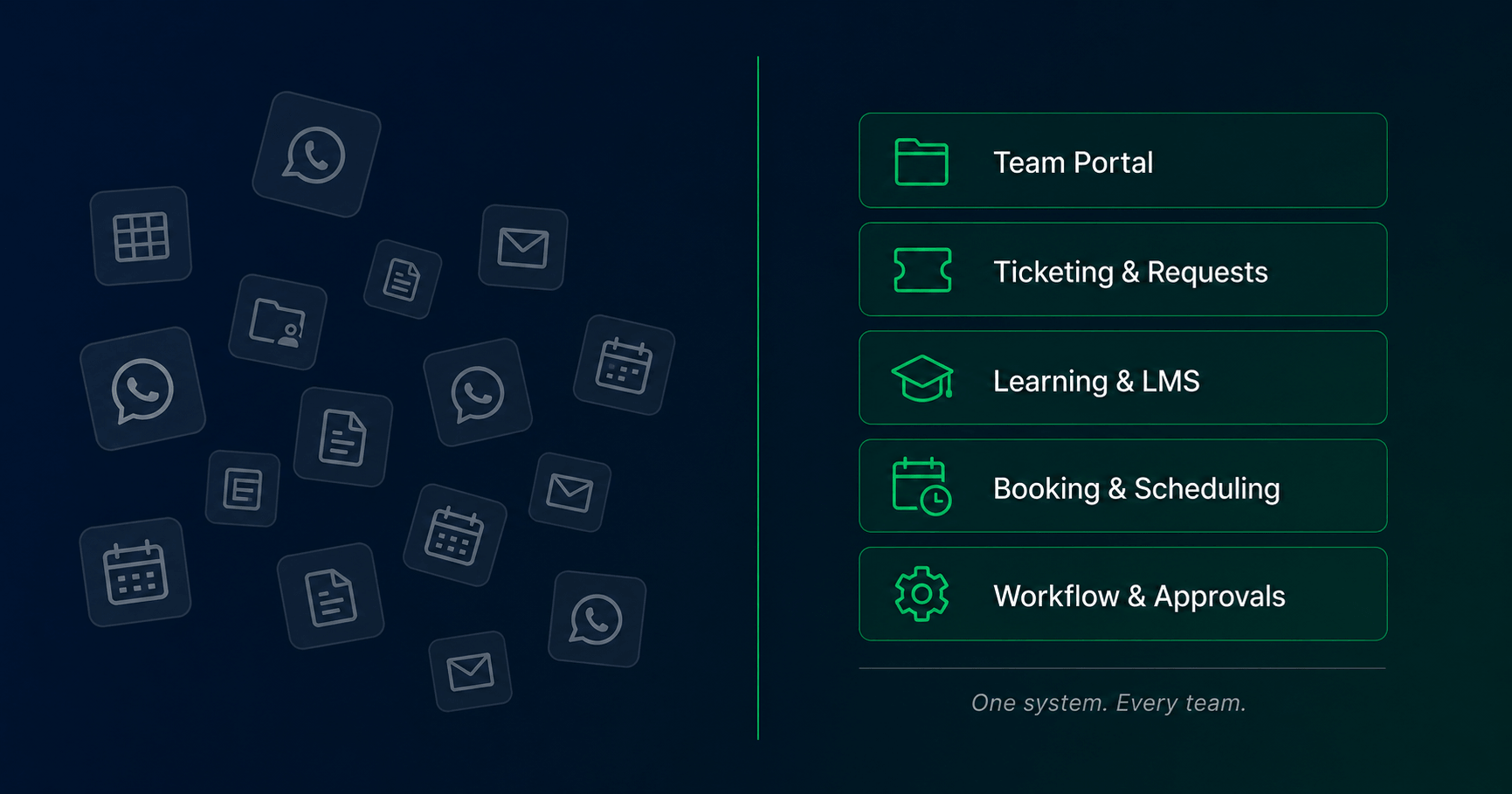
Requests, files, SOPs, forms, and status updates are scattered across WhatsApp groups, spreadsheets, email threads, and personal follow-up. Nothing is in one place. Nothing is easy to find.
Everything depends on one person
Staff need to ask before they can find information, submit a request, track progress, or complete an internal task. When that person is unavailable, the team slows down or stops.
Management has no real visibility
Leaders cannot see requests, bookings, training completion, issue status, or workflow bottlenecks without asking someone to compile a report. Decisions get delayed. Problems surface late.
A Productivity & Operating System centralises workflows, access, actions, and visibility into one structured digital environment — so teams can work faster and management can see what’s actually happening.
Is this right for you?
Signs your business is ready for an operating system.
These situations are the most common triggers. If two or more apply, the problem is likely costing more than the system would.
1
Your team runs on WhatsApp, spreadsheets, and manual follow-up
Every request, update, and approval happens through informal channels. Nothing is traceable. Nothing is consistent.
2
Staff keep asking where to find SOPs, forms, or training
There’s no central place. Information lives in someone’s laptop, a shared drive folder no one can navigate, or a WhatsApp message from three months ago.
3
Internal requests are hard to track or follow up
IT issues, HR forms, approvals, and support requests get lost. There’s no visibility into what’s pending, who’s handling it, or whether it was resolved.
4
Training, certification, or onboarding is handled manually
New staff are trained by sitting next to someone. No structured content, no progress tracking, no proof of completion — and inconsistent results every time.
5
Management needs visibility but can’t get it without asking
There’s no dashboard for requests, bookings, training completion, or workflow status. Every report requires someone to manually compile data.
6
You’re preparing to digitise operations but don’t know where to start
The intention is there. The systems are not. You need a structured build — not a pile of disconnected tools that create more work than they save.
?
Not sure where to start or whether your team is ready?
If the workflow is unclear, users are not aligned, or adoption risk is high, KE may recommend a Digital Transformation Readiness Workshop before the system build begins.
What we build
Six types of operational systems — built separately or combined.
Each module solves a specific operational problem. They can be scoped individually or architected together as one integrated operating system.
Centralised Team Portal
A single staff hub for announcements, SOPs, forms, internal resources, product knowledge, and team directory. Replaces scattered WhatsApp messages and shared folder chaos.
Staff access
SOP repository
Internal comms
Centralised Team Portal
A structured system for internal support, issue tracking, and service requests. Assigns tickets, tracks status, sets SLA rules, and gives both staff and management clear visibility.
Issue tracking
SLA visibility
Assignment
Learning & Certification System
A learning management system for training modules, quizzes, course progress, and certification. Supports role-based access, completion tracking, and staff enablement at scale.
LMS
Certification
Progress tracking
Booking & Scheduling System
Manages room bookings, facility reservations, appointment slots, event sessions, and availability rules. Eliminates double bookings and manual coordination overhead.
Room booking
Appointment
Availability rules
Workflow & Form Automation
Digital forms, multi-step approvals, task routing, status notifications, and basic process automation. Replaces paper forms, email chains, and manual task handoffs.
Digital forms
Approvals
Notifications
Operational Dashboard & Reporting
Management visibility across requests, bookings, training completion, SLA performance, and productivity metrics. Built for leaders who need to see what’s happening without asking.
KPI visibility
Usage reports
Governance
These modules can be built separately or combined into one integrated operating system. Scope is determined during the Workflow & Readiness Discovery phase.
How it’s built
The KE Operating System Architecture
Every system KE builds follows the same six-layer architecture — from the people who use it to the governance layer that keeps it running.
Layer 01
Users & Roles
Every system starts by mapping who uses it, what they need access to, and how their permissions differ. Getting this right prevents the most common failure: building a system nobody uses because it was designed for the wrong person.
Staff — general access to portal, forms, learning, booking
Managers — approval rights, team visibility, request oversight
Admins — full configuration, content management, user control
Trainers / coordinators — role-specific module access
A system your team actually uses —
documented, trained, and built to scale.
Layer 02
Portal / System Interface
The front-end environment where users log in, navigate, and take action. Designed around real workflows — not a generic dashboard template. Every interface element exists because a specific user needs to do a specific thing.
Staff portal with personalised role-based home screen
Mobile-responsive layout for field staff and outlet teams
Single sign-on where applicable for enterprise deployments
Branded interface aligned to company identity
A system your team actually uses —
documented, trained, and built to scale.
Layer 03
Workflow Modules
The functional core of the system. Each module handles a specific operational need — ticketing, booking, learning, forms, or approvals. Modules are scoped and built based on which workflows cause the most friction today.
Ticketing — internal support, issue tracking, SLA management
Learning — training modules, quizzes, certification, progress
Booking — room, facility, appointment, session scheduling
Forms & approvals — digital requests, routing, sign-offs
A system your team actually uses —
documented, trained, and built to scale.
Layer 04
Data & Records
All actions generate structured data — requests logged, training completed, bookings confirmed, approvals recorded. Clean data architecture at this layer is what makes reporting and governance possible later.
Submission records and audit trail for all form actions
Training completion logs with timestamps and user IDs
Booking history and conflict resolution records
Certificate issuance records tied to individual users
A system your team actually uses —
documented, trained, and built to scale.
Layer 05
Automation & Notifications
Reduces manual follow-up by triggering the right communication at the right time. Ticket assignments notify the right person. Training reminders go out before deadlines. Booking confirmations send automatically.
Email and WhatsApp notifications for ticket status updates
Training deadline reminders and completion confirmations
Booking confirmation, reminder, and cancellation flows
Approval request routing and escalation triggers
A system your team actually uses —
documented, trained, and built to scale.
Layer 06
Dashboard & Governance
Management visibility across all system activity — without asking anyone for a report. Permission controls determine who can see and do what. Audit trails support compliance. This layer is what turns an operational system into a management tool.
Real-time dashboard for requests, bookings, and training KPIs
Role-based permission control and access management
Audit trail for compliance and governance requirements
Export and reporting tools for stakeholder reporting
A system your team actually uses —
documented, trained, and built to scale.
System types
Choose one module or combine several into a full operating system.
Each module is a self-contained system. Scope one to solve a specific problem, or combine them into an integrated platform built around your actual workflows.
Team Portal
Team Portal System
Centralised staff hub for announcements, SOPs, internal resources, forms, product knowledge, and team directory. One place for everything staff need to do their job.
Can be scoped as a module
Ticketing
Ticketing & Request System
Structured internal support and issue tracking. Requests are logged, assigned, tracked, and resolved — with SLA visibility for management and status updates for staff.
Can be scoped as a module
E-Learning / LMS
E-Learning & LMS System
Training modules, quizzes, progress tracking, certification, and role-based learning access. Staff complete training at their own pace. Management sees completion across the organisation.
Can be scoped as a module
Booking
Booking & Scheduling System
Room bookings, facility reservations, appointment slots, event sessions, and availability rules — all managed in one place with automated confirmations and conflict prevention.
Can be scoped as a module
Workflow
Workflow & Form Automation
Digital forms, multi-step approval routing, task assignment, status notifications, and basic process automation. Replaces paper forms, email chains, and manual handoffs between teams.
Can be scoped as a module
System Audit
Already have a system? We audit & improve.
For companies with an existing portal, workflow system, LMS, booking platform, or internal tool that needs cleanup, better adoption, integration work, or improved reporting.
These modules can be scoped individually or combined into one integrated operating system. Recommended scope is determined during the Workflow & Readiness Discovery phase — KE will not build more than what the workflow actually needs.
How we build
Four phases from discovery to handoff.
Every system build follows the same structured process — regardless of which modules are in scope. This is how KE ensures the system fits the workflow, not the other way around.
Phase 01
Workflow & Readiness Discovery
Map current operations, user roles, bottlenecks, forms, approvals, and reporting needs. Identify what exists, what’s broken, and what the system must solve.
Phase 02
System Architecture
Define modules, user roles, permission structure, workflow logic, data model, automation triggers, and dashboard requirements. Architecture is agreed before any build begins.
Phase 03
System Build & Integration
Build the portal, workflows, forms, modules, database, automation, and dashboards based on agreed scope. Integration with existing tools configured and tested.
Phase 04
Training, Handoff & Documentation
Train admins and end users, deliver full documentation, support the launch period, monitor adoption, and address post-launch improvements from real usage feedback.
What you receive at handoff
System architecture map
User role & permission structure
Post-launch improvement notes
Portal or system interface
All modules included in scope
Digital forms & request flows
Automation & notification logic
Dashboard & reporting layer
Admin & end-user training
Full handoff documentation
Launch support period
Workflow map & process documentation
Scope boundary: This is an operating system build. Strategy workshops, full business process reengineering, enterprise ERP replacement, hardware procurement, long-term managed support, and third-party software subscription fees are separate scopes unless explicitly included in the proposal.
Investment
Scope determines cost.
Complexity determines timeline.
Pricing is structured by system scope — not by hours or team size. The right tier depends on how many modules you need and how tightly they need to integrate.
TIER 01
Single Module System
From
18,000
Scope includes
One focused module (portal, ticketing, LMS, booking, or workflow)
User role mapping and permission structure
Core workflow logic and form setup
Basic notification and automation
Admin training and handoff documentation
TIER 02
Integrated System Build
From
38,000
Scope includes
Two to three integrated modules
Full user role and permission architecture
Cross-module workflow logic and data connections
Automation, notifications, and reporting layer
Admin and end-user training + full documentation
TIER 03
Multi-Module Operating System
From
68,000
Scope includes
Four or more modules in one integrated system
Full operating system architecture and data model
Advanced automation, routing, and notification flows
Management dashboard and governance layer
Phased rollout support and adoption monitoring
TIER 04
Corporate / Government / Enterprise
Scoped after
Custom Proposal
Scope includes
Large-scale portal or platform with complex user hierarchy
Government or GLC programme with KPI reporting requirements
Multi-department or multi-location deployment
System integration with existing enterprise infrastructure
Audit readiness, compliance documentation, and SLA governance
Final investment depends on module count, integration complexity, user volume, and data requirements. Some engagements may begin with a paid diagnostic or scoping step before the final build proposal. Any credit arrangement will be stated clearly before payment.
Example scopes
What an operating system
looks like in practice.
These are representative build scopes — real problem patterns KE has encountered and solved. Your actual system is scoped around your specific workflows.
Retail & Multi-Outlet Chain
A retail chain with 15 outlets and no central information system
Situation
Outlet staff had no central access to promotions, SOPs, pricing updates, or internal forms. Everything was sent via WhatsApp. Requests took days to resolve. Management had no visibility across branches.
System built
Team portal with role-based access for outlet managers and HQ staff. Internal announcement board, SOP library, digital request forms, and a ticketing system for IT and HR issues.
What became easier
New SOPs deployed instantly across all outlets. Requests tracked from submission to resolution. Management sees open issues by branch without a single WhatsApp chase.
Example scope · Typical build: Tier 2 Integrated System Build
Government & GLC Programme
A government agency needing to onboard and certify thousands of participants
Situation
A national programme required structured onboarding, training delivery, certification tracking, and KPI reporting for a large participant base. Existing tools were fragmented and adoption was low.
System built
E-learning platform with module-based training, quiz-gated progression, automated certificate issuance, and a management dashboard for programme directors to track completion against KPI targets.
What became easier
Participants self-serve through training at their own pace. Programme managers see completion rates, drop-off points, and certification status in real time — no manual data compilation required.
Example scope · Typical build: Tier 3 Multi-Module Operating System
Office & Facility Operations
A corporate office managing shared rooms, equipment, and internal approvals manually
Situation
Meeting rooms were double-booked constantly. Equipment loans had no tracking. Internal approval requests sat in email inboxes for days. No one had a clear picture of facility utilisation.
System built
Booking system for meeting rooms and shared equipment. Digital approval workflow for internal requests. Usage dashboard showing room utilisation, pending bookings, and approval queue by department.
What became easier
Room conflicts eliminated. Equipment tracked with full loan history. Approval requests resolved within defined SLA. Facilities manager has live visibility without daily manual checks.
Example scope · Typical build: Tier 1–2 depending on integration needs
Common Questions
Frequently asked questions
Still have questions?
The fastest way to get a direct answer is a Fit Discovery Call — free, 30 minutes, no pitch.
Get a System Proposal →MOF #357-0002356673 · Elite Growth Tech Sdn Bhd
Ready to build
Build the operating infrastructure your team actually needs.
Tell KE what’s breaking down — manual work, invisible requests, inconsistent training, or no visibility. We’ll map the right system scope and confirm the investment before anything is built.
MOF #357-0002356673
200+ projects delivered
Founded 2013
Scope confirmed before build begins